Phone Etsy Listings Mockup: Practical Workflow Integration for Sellers and Creators
When you sell on Etsy, the difference between a listing that converts and one that gets scrolled past often comes down to presentation. Buyers on Etsy browse primarily through their phones, and that changes how your product photography, branding, and layout are perceived. That is where a Phone Etsy Listings Mockup becomes a practical tool rather than just a design gimmick. It is a simulated preview of how your listing will appear on a mobile device, allowing you to assess visual hierarchy, text readability, image cropping, and overall buyer experience before you hit publish.
While the concept sounds simple, its real value lies in how it fits into a broader selling workflow. Instead of guessing how your thumbnail will look in a grid or how your description will wrap on a small screen, you test and adjust early. This article walks through what a Phone Etsy Listings Mockup is, where it fits in your process, and how to integrate it smoothly into your routine whether you are a full-time seller, a hobbyist, or a small business owner managing multiple shops.
What a Phone Etsy Listings Mockup Actually Does
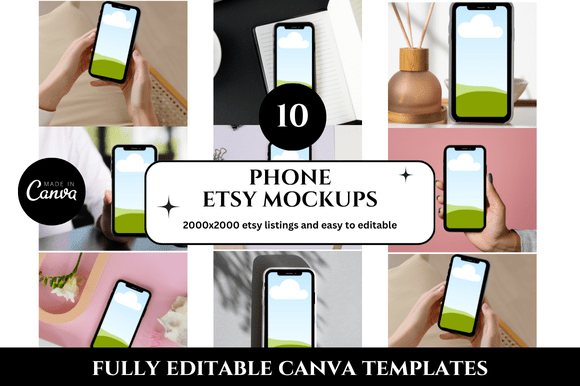
A Phone Etsy Listings Mockup is essentially a template or overlay that places your listing design onto a realistic smartphone frame. It shows you the final listing exactly as a potential buyer would see it on their device while scrolling through search results or browsing your shop. This is different from looking at your listing on a desktop monitor, which often hides cropping issues, font size problems, or cluttered compositions that become obvious on a smaller screen.
Mockups can range from static image files you drop your artwork into, to interactive previews within listing tools, to dynamic templates you build yourself using design software. The format matters less than the purpose: to simulate the buyer's view and catch visual flaws before they cost you sales.
Where It Fits in the Listing Creation Process
The mockup stage sits between design and publishing. After you have your product photos, branding elements, and text prepared, you place them into the mockup to check how everything works together on mobile. This is not a final design step, but a quality control checkpoint. It helps you decide whether your thumbnail stands out among competitors, whether your title truncates awkwardly, whether your price tag and variation options are clearly visible, and whether your description is scannable without endless scrolling.
If you sell physical products like prints, stickers, apparel, or home decor, the mockup also helps you verify that your product photo composition works within Etsy's square thumbnail format on a phone screen. For digital products, it ensures your mockup displays the file preview clearly enough that buyers understand what they are purchasing.
Practical Use Cases Across Different Stages
Depending on your workflow, a Phone Etsy Listings Mockup can serve different purposes at various points in your selling cycle. Here are several scenarios that illustrate its flexibility.
Before Launch: Testing Visual Hierarchy
Before you publish a new listing, the mockup helps you check attention flow. Ask yourself: does the eye go to the product first, or is it distracted by a logo, watermark, or busy background? On a phone screen, every pixel matters. If your thumbnail is cluttered, buyers will swipe past. Place your design into the mockup and look at it at actual size. If you cannot read the text, identify the product, or understand the value proposition within two seconds, you need to simplify.
This is also the time to test how your title displays. On mobile, Etsy titles get cut off after roughly 40 characters. Put your full title into the mockup and see what appears before the ellipsis. If the key benefit or keyword is buried, reorder the title so the most important words come first.
During Product Photography: Guiding Composition
Some sellers use a Phone Etsy Listings Mockup as a reference during the photography stage. By overlaying a mockup grid onto their camera viewfinder or smartphone screen, they can frame shots knowing exactly where the product will sit within the square thumbnail area. This avoids later cropping frustration and ensures that the most interesting part of the product is centered and visible even on a small screen.
If you photograph flat lays, item details, or lifestyle shots, keeping a mockup template open on your phone or tablet helps you shoot with the final output in mind. You make decisions about background, lighting, and angle based on how the image will look once compressed and displayed on a mobile device.
After Publishing: Auditing Existing Listings
Your existing listings also benefit from a mockup review. If a listing has been underperforming, pull it into a mockup tool and compare it with your newer listings. Often, older listings were created on a desktop with no mobile check, so they may have poor cropping, tiny text, or weak contrast when viewed on a phone. Updating these listings based on mockup feedback can improve click-through rates without requiring new product photos.
This is especially useful for shops with hundreds of listings. Instead of redesigning everything, you prioritize listings with high impressions but low conversion rates. A quick mockup check often reveals the problem.
Integration with Other Tools and Platforms
A Phone Etsy Listings Mockup rarely works in isolation. It is part of a toolchain that includes design software, listing apps, and analytics dashboards. Understanding how it connects with other resources helps you build a smoother workflow.
Design Software and Mockup Generators
If you use Canva, Adobe Photoshop, Affinity Designer, or similar tools, you can download mockup templates that already contain the smartphone frame and the correct aspect ratio for Etsy thumbnails. Simply drag your design onto the placeholder layer and export. Some mockup generators also let you customize the phone color, background, and hand model to match your brand aesthetic.
Online dedicated mockup tools often include presets for Etsy listing dimensions, so you do not need to calculate pixel sizes. They may also offer batch processing if you are creating multiple listings at once, which saves time for busy sellers.
Listing Optimization Tools
Some Etsy listing apps integrate mockup previews directly into their interface. As you fill in your listing details, a mobile preview pane updates in real time. This eliminates the need to export and check separately. If you use such a tool, the mockup becomes a continuous feedback loop rather than a separate step.
Analytics and A/B Testing
Once your listings are live, you can cross-reference mockup decisions with performance data. For example, if you adjusted a thumbnail based on a mockup check and saw a 15% increase in click-through rate, that confirms your process works. Over time, you develop an eye for what looks good in mockup form, which speeds up future listing creation.
Practical Implementation Tips
Integrating a Phone Etsy Listings Mockup into your routine does not require a complete workflow overhaul. Small adjustments make the biggest difference. Below are actionable tips that respect your time and existing processes.
Start with One Mockup Template
Do not collect dozens of mockup files. Pick one high-quality template that matches the phone size most of your buyers use. For Etsy, that is likely an iPhone or Android phone with a screen width of around 375 to 414 pixels in portrait mode. Use that single template for all your initial checks. Consistency helps you compare listings side by side.
Check Three Things Every Time
- Thumbnail clarity: Can you identify the product instantly at a small size? Is the most important element centered and not cropped out?
- Text readability: If your listing includes text on the image (such as a title overlay, a call-to-action, or a label), is it legible without zooming? Font size should be at least 10% of the image width for mobile readability.
- Description scannability: On the mockup, does your description appear as short paragraphs with clear breaks? Large blocks of text on a phone screen discourage buyers from reading further.
Use Mockups for Variations Too
If you sell the same product in multiple colors or sizes, create a mockup for each variation's primary image. This ensures that every variant looks polished on mobile. Buyers often scroll through variations quickly, and a weak thumbnail can make an entire product line seem less professional.
Pair Mockups with Device Testing
After checking in a mockup, pull up the actual listing on your own phone before publishing. The mockup gives you a controlled view, but real-world testing catches issues with loading speed, text wrapping that differs from your mockup, or unexpected cropping due to Etsy's platform updates. Use the mockup as a first pass, then confirm with live preview.
Factors That Affect Mockup Accuracy
Not all mockups are equally useful. The quality of your template and the way you use it determines whether the exercise improves your listings or just adds busywork.
Screen Size and Aspect Ratio
Etsy thumbnails are square, but when displayed in search results, they are often slightly cropped on mobile depending on the device and app version. A good mockup accounts for both the square thumbnail area and the potential cropping zone. If your mockup only shows the full square, you might miss how your image gets trimmed on certain phones. Look for templates that include safe area markers or guide lines indicating where critical elements must stay.
Color and Contrast
Phone screens vary widely in color temperature and brightness. A listing that looks vibrant on your editing monitor might appear washed out on a mid-range phone. While you cannot control every device, you can check your mockup under different screen brightness levels. If your text or product blends into the background at lower brightness, increase contrast.
File Compression
Etsy compresses images to speed up loading times. A mockup that shows your original high-resolution file will look better than the live version. To bridge this gap, compress your images before placing them into the mockup to see what the listing will actually look like after Etsy processes it. This prevents disappointment when you publish and notice unexpected pixelation or blurring.
Long-Term Use and Workflow Efficiency
As you use a Phone Etsy Listings Mockup consistently, it becomes a natural part of your listing routine rather than an extra chore. The key is to build a repeatable process that works with your volume and schedule.
Batch Your Mockup Checks
If you create listings in batches, do all your mockup checks in one session. Set aside 15 to 30 minutes after designing your product images to place each one into the template and make adjustments. This focused time helps you catch issues faster than checking each listing individually as you go.
Create a Mockup Checklist
- Drop image into mockup template.
- Check thumbnail composition at actual mobile size.
- Verify text is readable and not cut off.
- Confirm color and contrast work on a dimmed screen.
- Assess description scannability.
- Compare with top competitors' thumbnails in mockup view.
- Make adjustments in design file.
- Export for listing.
This checklist standardizes your quality control and reduces the chance of missing issues that hurt performance.
Update Mockups When Etsy Changes
Etsy occasionally updates its mobile interface. When that happens, your mockup template may no longer match the actual buyer view. Follow Etsy's seller announcements and community forums to stay aware of layout changes. Update your template within a few days to keep your checks accurate. An outdated mockup is worse than no mockup because it gives you false confidence.
Common Pitfalls and How to Avoid Them
Even experienced sellers can misuse mockups in ways that reduce their effectiveness. Being aware of these pitfalls helps you get consistent results.
Overloading the thumbnail with text. On mobile, users see your thumbnail for less than a second. Too much text makes it unreadable and visually noisy. Use the mockup to test whether your key message survives at thumbnail size. If it does not, rely on your title and tags to communicate the value instead.
Ignoring the background. A white or neutral background on your mockup may look clean, but if your product photo has a busy background with patterns, shadows, or props, it will distract on a small screen. Check that the background supports the product rather than competing with it.
Relying solely on mockups. Mockups are a simulation, not a substitute for real-world testing. Always preview your listing on an actual phone before publishing, especially if you are using a new template or design approach. The mockup guides your decisions, but the live test validates them.
Using low-resolution mockup templates. A pixelated or poorly designed mockup frame degrades your perception of the listing. Invest in a high-quality template from a reputable source. It makes your review more reliable and also produces better images if you use the mockup for promotional materials.
Adapting Mockups to Your Specific Selling Context
Different types of sellers will use a Phone Etsy Listings Mockup in slightly different ways. Here is how the tool adapts to various scenarios without changing its core purpose.
For digital product sellers, the mockup helps confirm that the file preview clearly shows what the buyer will receive. Test at thumbnail size to ensure the file's main design feature is visible and not lost in compression.
For physical product sellers, the mockup focuses on product photography composition. Check that the product is well-lit, correctly framed, and not overshadowed by packaging or props. Also verify that any size references in the photo remain legible on mobile.
For creators who sell in multiple categories, using a consistent mockup template across all listings creates a cohesive shop aesthetic. Buyers scrolling through your shop will see a unified visual style, which builds trust and brand recognition.
For sellers who collaborate with a team, the mockup becomes a communication tool. Share the mockup view with a designer, photographer, or virtual assistant to align everyone on how the listing should look on mobile. This reduces revisions and miscommunication.
Final Observations on Long-Term Value
A Phone Etsy Listings Mockup is not a tool you use once and forget. It is a recurring checkpoint that pays for itself through improved click-through rates, fewer listing revisions, and a more professional shop appearance. Sellers who make it a habit often report that they spend less time redoing listings and more time focusing on product development and customer engagement.
The most effective approach is to treat the mockup as a natural part of your listing workflow, not as an afterthought. When it becomes routine, you stop guessing how your listings look on mobile and start knowing. That certainty translates into listings that perform better, buyers who trust your shop, and a selling process that feels less reactive and more controlled.
Whether you are launching a single listing or managing a full catalog, the mockup helps you bridge the gap between what you create on a desktop and what your buyers actually see. It is a small step in the production process that yields outsized results when applied consistently. Start with one template, check your next three listings, and let the feedback guide your future decisions.